Wispr Flow Review (2026): Is This AI Voice-to-Text Tool Worth Trying?

What if you could write emails, create content, reply to messages, and capture ideas without constantly typing?
That’s exactly what Wispr Flow aims to do.
Whether you’re an entrepreneur, content creator, freelancer, student, or busy professional, typing can consume a surprising amount of your day.
Wispr Flow offers a different approach: simply speak, and AI turns your words into clear, polished text.
But is it worth trying? Let’s take a closer look.

What Is Wispr Flow?
Wispr Flow is an AI-powered voice-to-text tool that transforms natural speech into written content.
Instead of typing every sentence, you speak into your computer or phone, and Flow converts your speech into readable text directly inside the app you’re using.
You can use it for emails, documents, social media posts, messages, notes, and even prompts for AI tools like ChatGPT.
The idea is simple: spend less time typing and more time getting things done.
How Does Wispr Flow Work?
Using Wispr Flow is straightforward:
Open an app where you want to write.
Activate Wispr Flow.
Speak naturally, without worrying about every pause or correction.
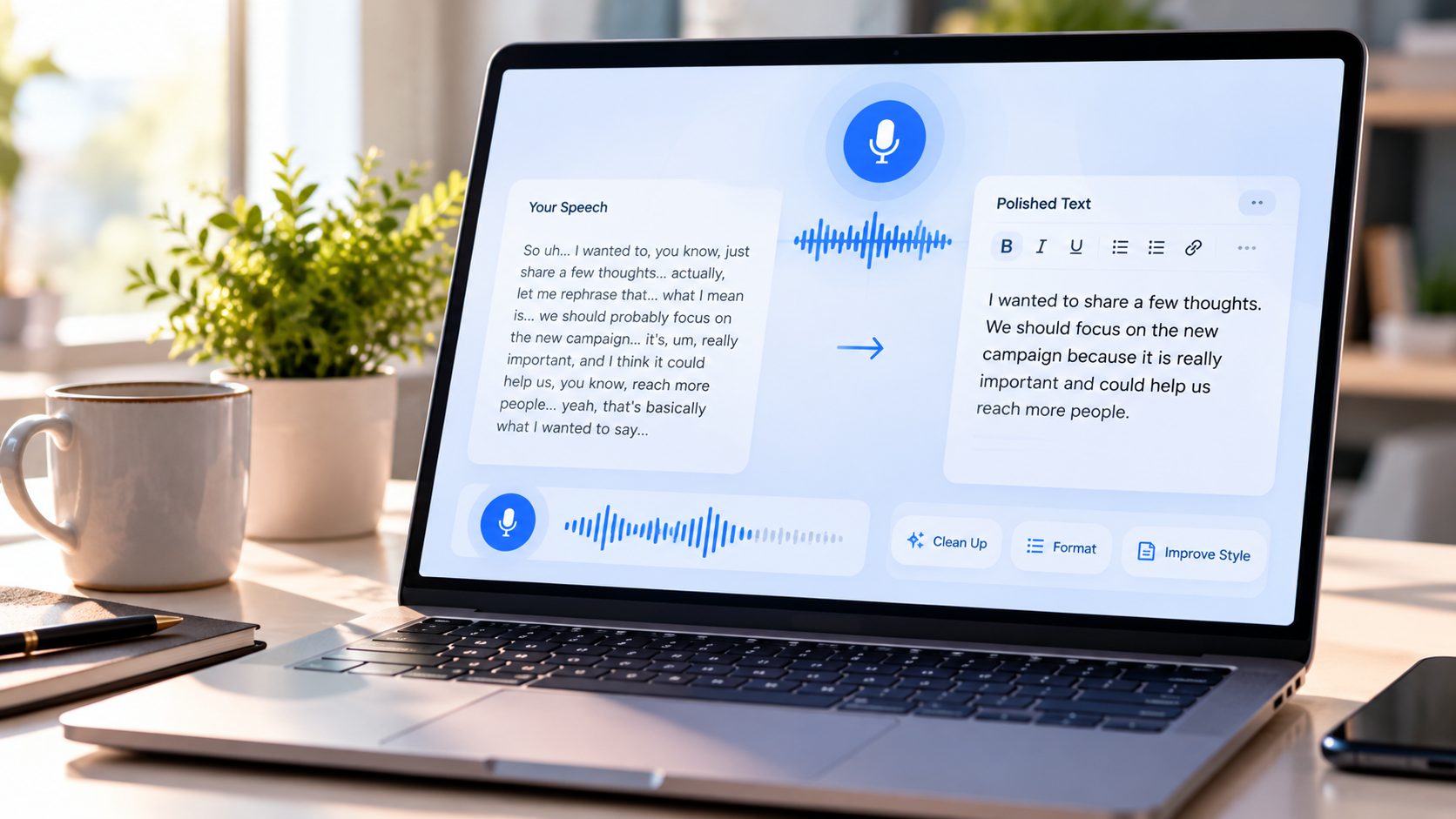
Let AI clean up your speech and format the text.
Review the result and make any final edits.
It can remove unnecessary filler words, correct spoken revisions, add punctuation, and organize your thoughts into more readable text.
Key Features Worth Knowing
1. AI-Powered Voice Typing
Speak naturally and turn your thoughts into written content without manually typing every word.
2. Automatic Text Cleanup
Flow can remove filler words, repetitions, and false starts while improving punctuation and readability.
3. Works Across Your Apps
Use it in everyday writing environments, including Gmail, Google Docs, Slack, Notion, and other text fields.
4. Personalized Vocabulary
Add names, technical terms, business terminology, and frequently used expressions to improve recognition.
5. Multiple Writing Styles
Adjust the output to sound formal, casual, or more conversational depending on the situation.
6. Cross-Device Availability
Wispr Flow is available on Mac, Windows, iPhone, and Android, although some features vary by platform.

Who Can Benefit From Wispr Flow?
Wispr Flow may be particularly useful for:
Entrepreneurs: Capture ideas and communicate faster.
Content Creators: Draft articles, captions, and video scripts.
Affiliate Marketers: Write promotional emails, product reviews, and marketing content.
Freelancers: Prepare client messages and project notes.
Students: Draft assignments and capture study notes.
Busy Professionals: Reduce repetitive typing throughout the workday.
If you regularly spend hours writing, voice-based productivity could be worth exploring.
Is Wispr Flow Free?
Yes! Wispr Flow offers a free plan, so you can try the experience before deciding whether to upgrade.
Its paid Pro plan offers additional capabilities, including unlimited dictation and enhanced productivity features.
Pricing and allowances can vary by region and subscription option, so check the official pricing page before purchasing.

Pros and Cons
Pros
Natural voice-based writing.
AI-powered cleanup and formatting.
Works across multiple applications.
Personalized vocabulary.
Supports multiple devices.
Free option to get started.
Cons
Requires an internet connection.
Voice recognition may occasionally need corrections.
Accuracy can vary with accents, background noise, and technical vocabulary.
Some advanced features require a paid plan.
Is Wispr Flow Worth Trying?
If typing is a regular part of your workday, Wispr Flow offers an interesting alternative.
Its biggest advantage is the ability to turn natural speech into polished writing without repeatedly switching between a voice recorder, transcription tool, and document editor.
It’s particularly interesting for people who create content, write emails, manage online businesses, or regularly use AI assistants.
Of course, it isn’t a complete replacement for proofreading. You should always review important messages and documents before sending them
Final Verdict
Wispr Flow is worth exploring if you want a more natural way to write and communicate.
Rather than typing every thought, you can speak, let AI organize your words, and focus on the work that matters.
The best way to decide whether it fits your workflow is to try the free version yourself.
Ready to experience voice-powered writing?
Disclosure: This article contains an affiliate link. If you sign up or purchase through this link, I may earn a commission at no additional cost to you. My recommendations are based on the product’s advertised features, not an independent hands-on performance test.

Home | Terms | Privacy | Disclosure | Commission Disclaimer | |Earning Disclosure & Legal Statement | Contact |
Affiliate Disclosure: This article may contain affiliate links. Trinity Digitech may earn a commission from qualifying purchases or sign-ups at no additional cost to you. We aim to provide honest, useful information to help you make informed decisions. Product features, pricing, terms, and results may vary. Please review the provider’s official terms before purchasing.
©Copyright 2026 Trinity Digitech